How to Convert Video to MP3 on Windows 11
Extract audio from a video on Windows 11, choose an appropriate MP3 bitrate, and avoid quality and copyright mistakes.
Photo & video
Audio Video Converter Plus converts common audio and video files for playback, sharing, editing, and storage from a focused Windows interface.
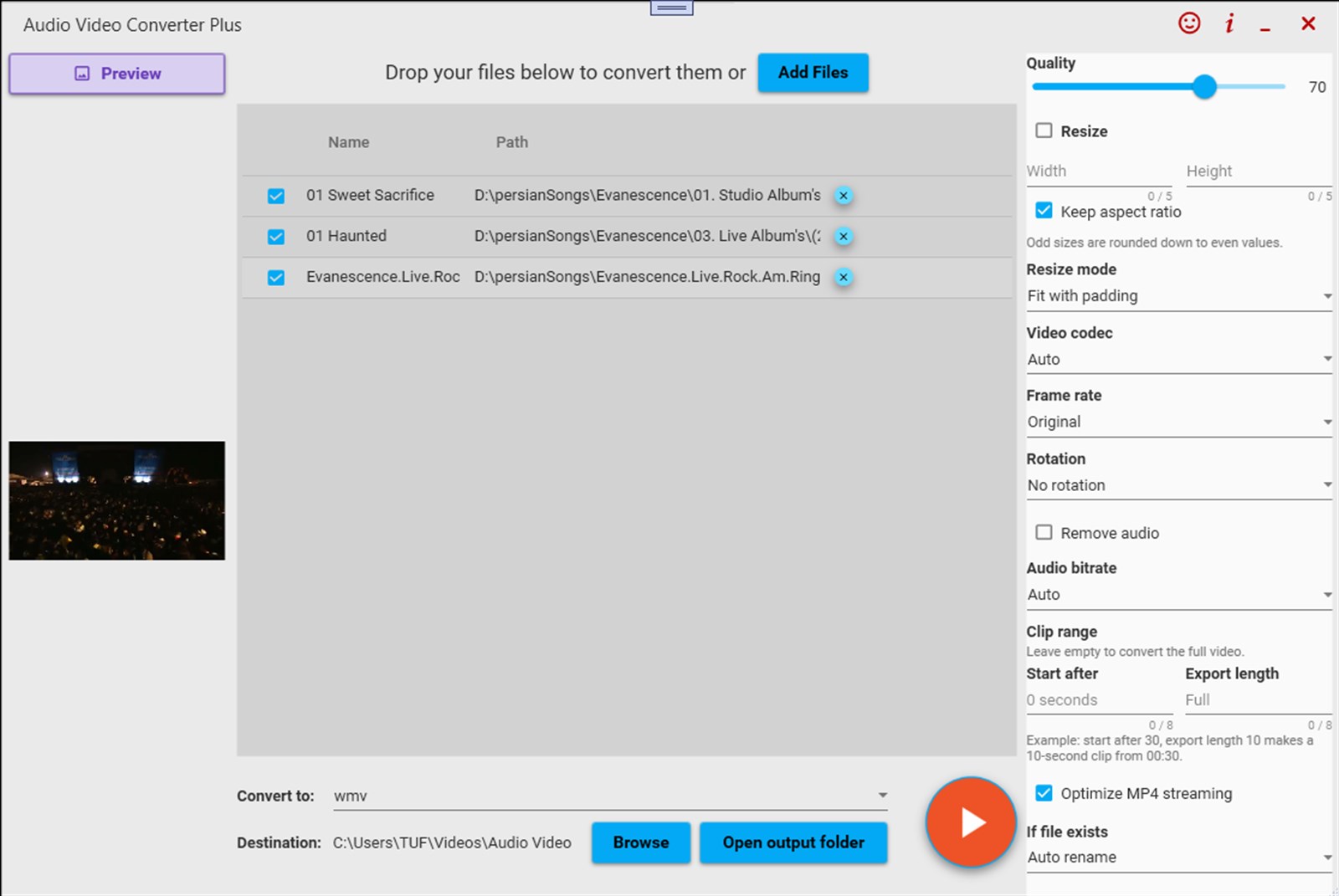
Screenshots
Why it helps
FAQ
Audio Video Converter Plus is a Windows app from Megaish designed to make photo & video tasks simpler and faster.
You can install Audio Video Converter Plus from the Microsoft Store using the download button on this page.
Practical guides
Start with a useful answer, then decide whether this Windows app fits your workflow.
Extract audio from a video on Windows 11, choose an appropriate MP3 bitrate, and avoid quality and copyright mistakes.
Choose between MP4, MKV, WebM, MOV, and other video formats based on compatibility, quality, file size, editing, and archiving.
Compare WAV, MP3, and FLAC for audio quality, file size, metadata, compatibility, editing, archiving, and everyday listening on Windows.
Store description
Audio Video Converter Plus Audio Video Converter Plus is a simple, powerful, and user-friendly media converter for Windows. Convert videos, convert audio files, extract audio from video, resize videos, trim clips, and create optimized media files with just a few clicks.
Whether you want to convert MP4 to MP3, video to audio, MOV to MP4, MKV to MP4, WAV to MP3, or prepare videos for sharing, storage, editing, or playback, Audio Video Converter Plus gives you the tools you need in a clean and easy interface. Built with FFmpeg-powered conversion, the app supports popular video and audio workflows while keeping the experience simple for everyday users. .
Key Features: Convert popular video formats including MP4, MKV, MOV, AVI, WMV, WebM, MPEG, FLV, and more. Extract audio from video and save it as MP3, WAV, FLAC, OGG, and other audio formats. Convert audio files between popular formats such as MP3, WAV, FLAC, OGG, AIFF, AU, and more.
Resize videos with flexible modes: Fit with padding Stretch exact size Crop to fill Trim videos and audio by choosing where to start and how long to export. Adjust output quality for smaller files or higher quality results. Choose audio bitrate such as 128 kbps, 192 kbps, or 320 kbps. Remove audio from video when you need a silent video file. Change video codec, frame rate, rotation, and output behavior.
Optimize MP4 files for faster streaming and sharing. Batch add multiple files and convert selected files easily. Preview selected video files before converting. Choose your output folder and quickly open converted files. . Why Choose: Audio Video Converter Plus? Audio Video Converter Plus is designed for users who want a converter that feels fast, clear, and reliable. No complicated setup. No confusing menus.
Just add your media files, choose the format and options you need, and convert.
Use It For Video to audio extraction MP4 to MP3 conversion Audio format conversion Video format conversion Video resizing Clip trimming File size reduction Preparing videos for upload Creating audio from lectures, podcasts, music videos, tutorials, and recordings Great For Content creators, students, editors, music lovers, podcast users, social media users, and anyone who needs a clean Windows app for converting video and audio files.
One App. Essential Tools. Audio Video Converter Plus gives you the essential conversion tools in one focused app: easy enough for beginners, useful enough for daily media work.
Related apps
 Photo & video
Image Converter Plus converts image files into practical formats for websites, documents, design tools, and everyday sharing on Wi...
 Photo & video
AI Image Studio brings AI-powered photo enhancement, beauty edits, background tools, upscaling, and creative effects into one Wind...
 Photo & video
Image Vectorizer helps turn raster images into clean, scalable vector artwork for logos, illustrations, printing, and design proje...