 Productivity
Text to Image Creator
Text to Image Creator helps you turn ideas, descriptions, and prompts into visual artwork from a simple Windows app.
Productivity
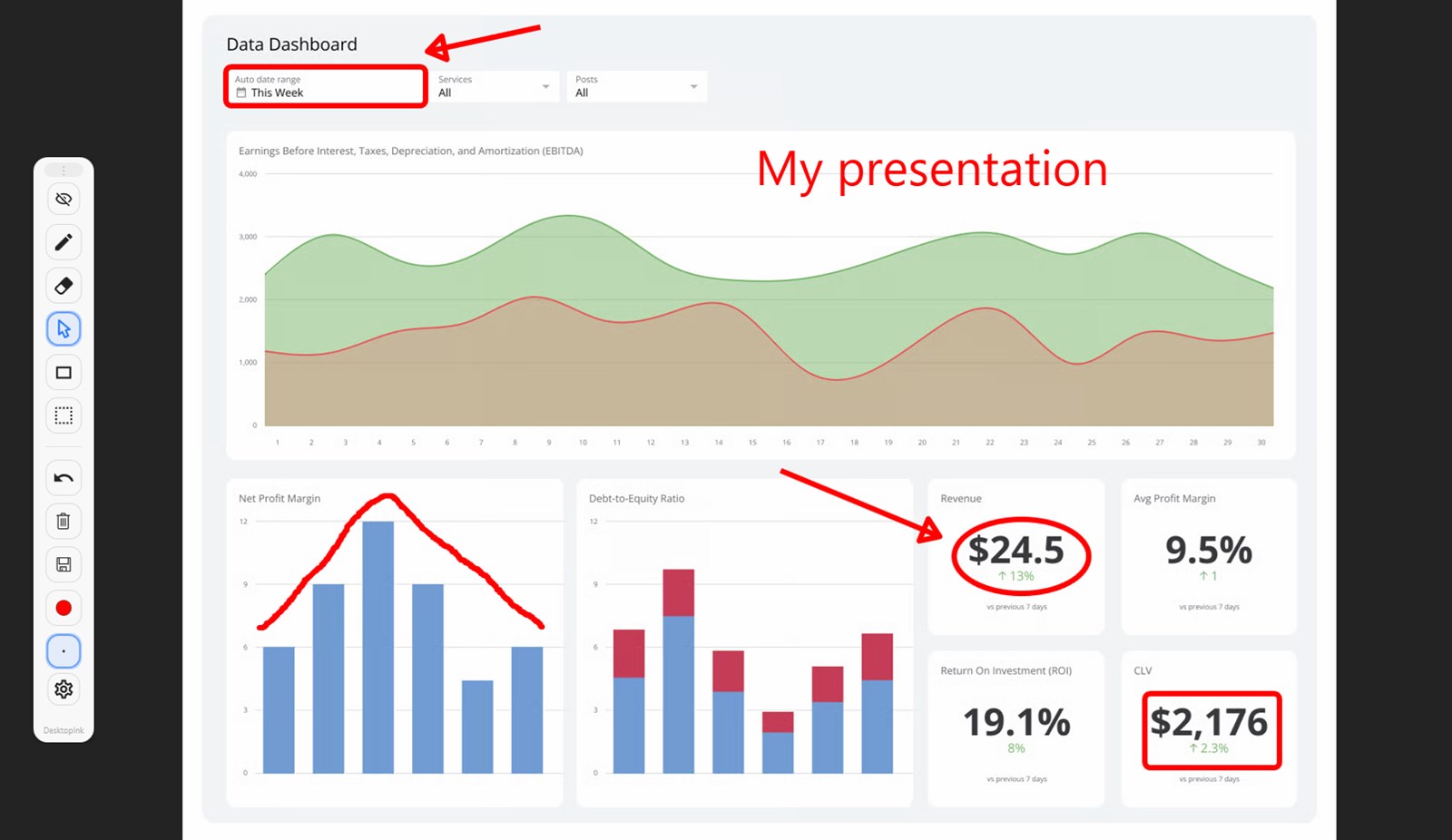
Desktop Ink lets you draw, annotate, and mark up your screen during explanations, lessons, meetings, and presentations.
Screenshots
Why it helps
FAQ
Desktop Ink is a Windows app from Megaish designed to make productivity tasks simpler and faster.
You can install Desktop Ink from the Microsoft Store using the download button on this page.
Store description
Desktop Ink is a lightweight screen annotation overlay for Windows that lets you draw and write directly on top of any app, website, document, or presentation in real time. Explain ideas visually, highlight important details, and guide attention without interrupting your workflow. Switch instantly between drawing and click-through mode to annotate while still interacting with underlying apps.
Desktop Ink is designed for teaching, presentations, live demos, design feedback, and everyday visual communication.
Key features: Draw smoothly with a responsive pen tool Add text notes anywhere on screen Insert shapes including line, rectangle, ellipse, and arrow Erase or edit with select, move, duplicate, copy, paste, and delete tools Export annotations instantly to PNG for sharing and documentation Floating toolbar with quick access to tools, colors, and pen size Global hotkeys for fast toggle, undo, clear, and export Click-through mode to interact with apps while annotations remain visible Desktop Ink is fast, simple, and built for educators, presenters, developers, designers, and professionals who need clear real-time screen annotation on Windows.
Related apps
Productivity
Text to Image Creator helps you turn ideas, descriptions, and prompts into visual artwork from a simple Windows app.
 Productivity
JSON Viewer & Formatter helps developers, analysts, and QA teams format, validate, minify, and convert JSON in a lightweight Windo...
 Productivity
MegaPass Your Ultimate Secure Password Manager. Keep all your passwords safe, encrypted, and easily accessible with no sign-ups or...